
Cardds for iPhone
Every loyalty card, ready at checkout
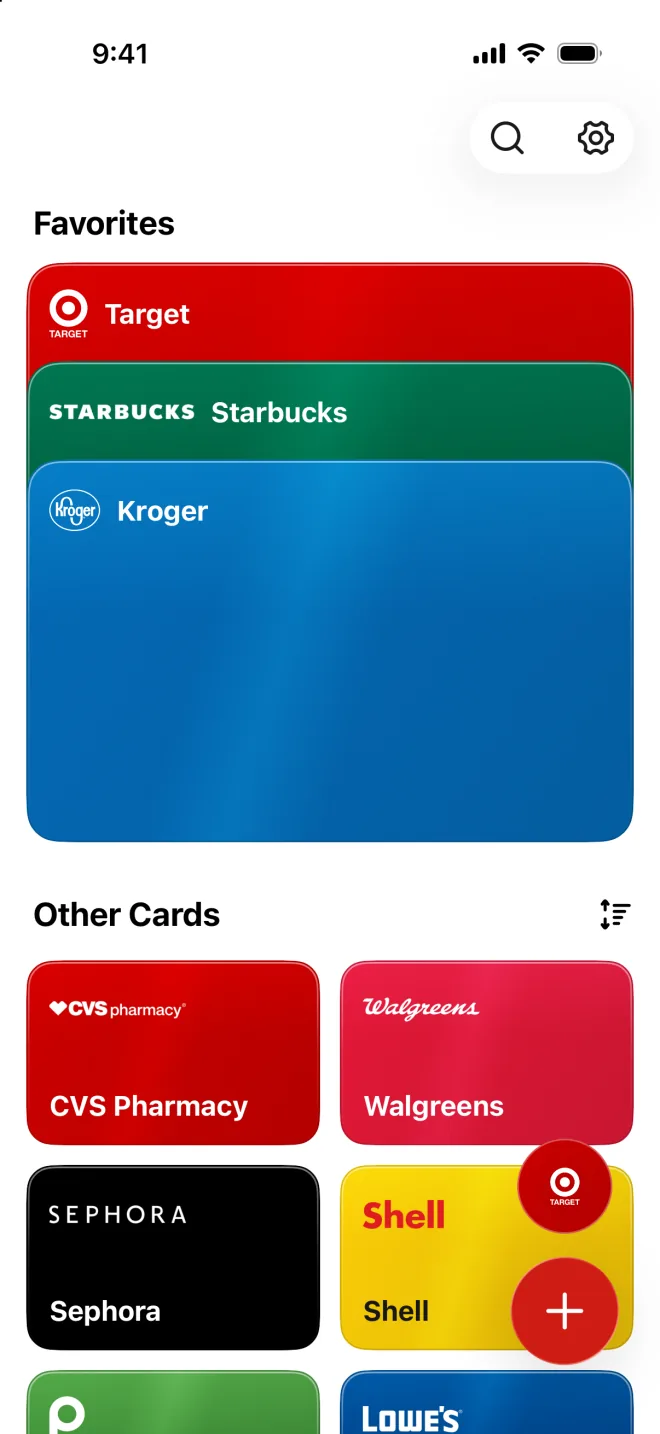
Keep your store cards in one place, and show their barcodes big and bright so the scanner reads them the first time. No account, no ads, no tracking.
Coming soon to the App Store
How it works0
accounts to make. Open Cardds and add a card.
Your cards, not your data
Cardds has no account, no ads and no tracking, and no server of ours ever sees your cards. They stay on your iPhone, and sync between your iPhones with your own iCloud.
How it works
Three steps from wallet to phone
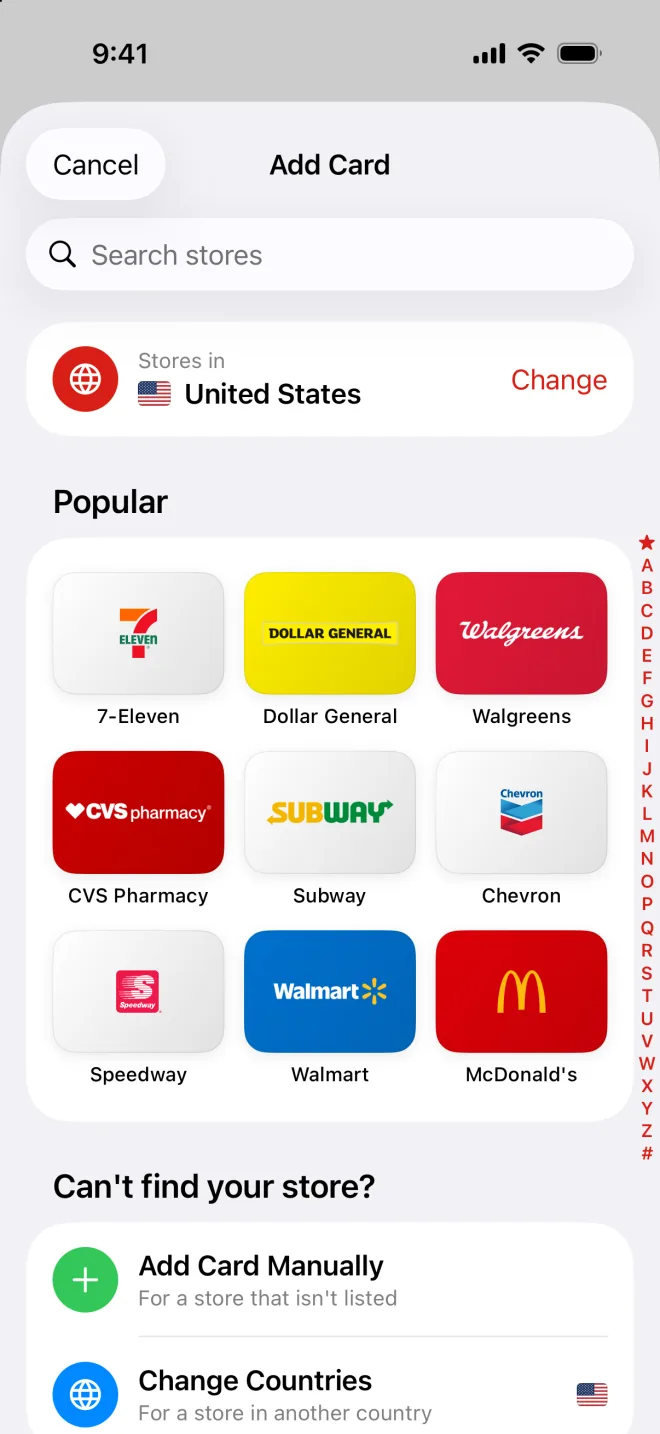
Step 01 · Pick your store
Find your store among more than 8,000, in the countries you choose.
Popular stores come first, each with its logo, so it takes a tap.
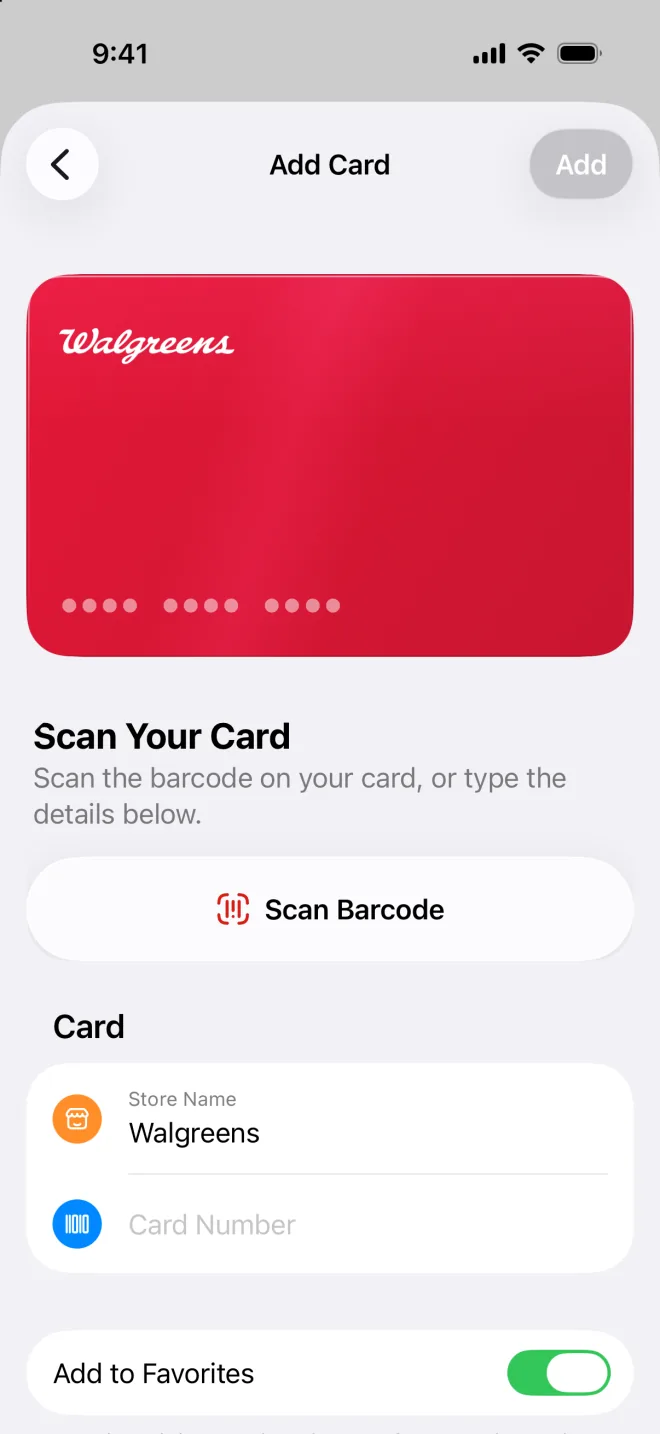
Step 02 · Scan the card
Tap Scan Barcode and hold your card up to the camera, or choose a screenshot from Photos.
The store’s name, color and logo come with it, and Cardds reads the barcode on your iPhone.
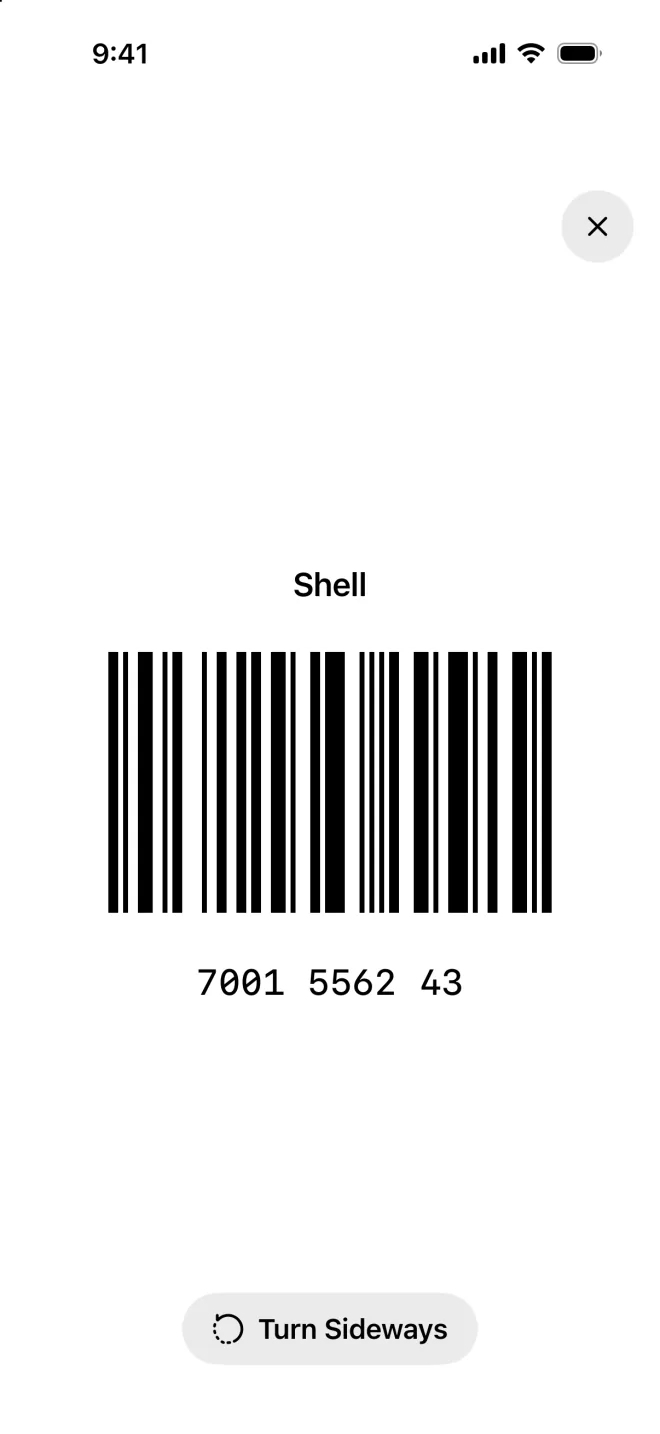
Step 03 · Show it at checkout
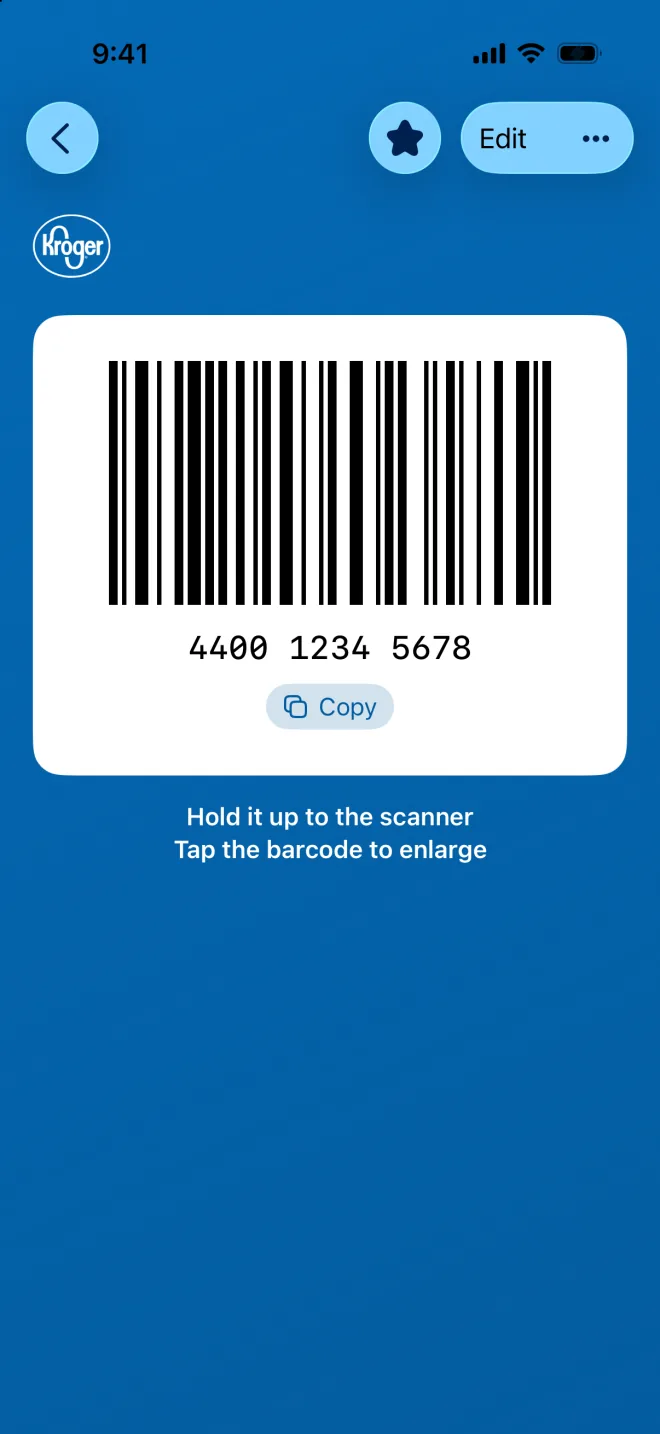
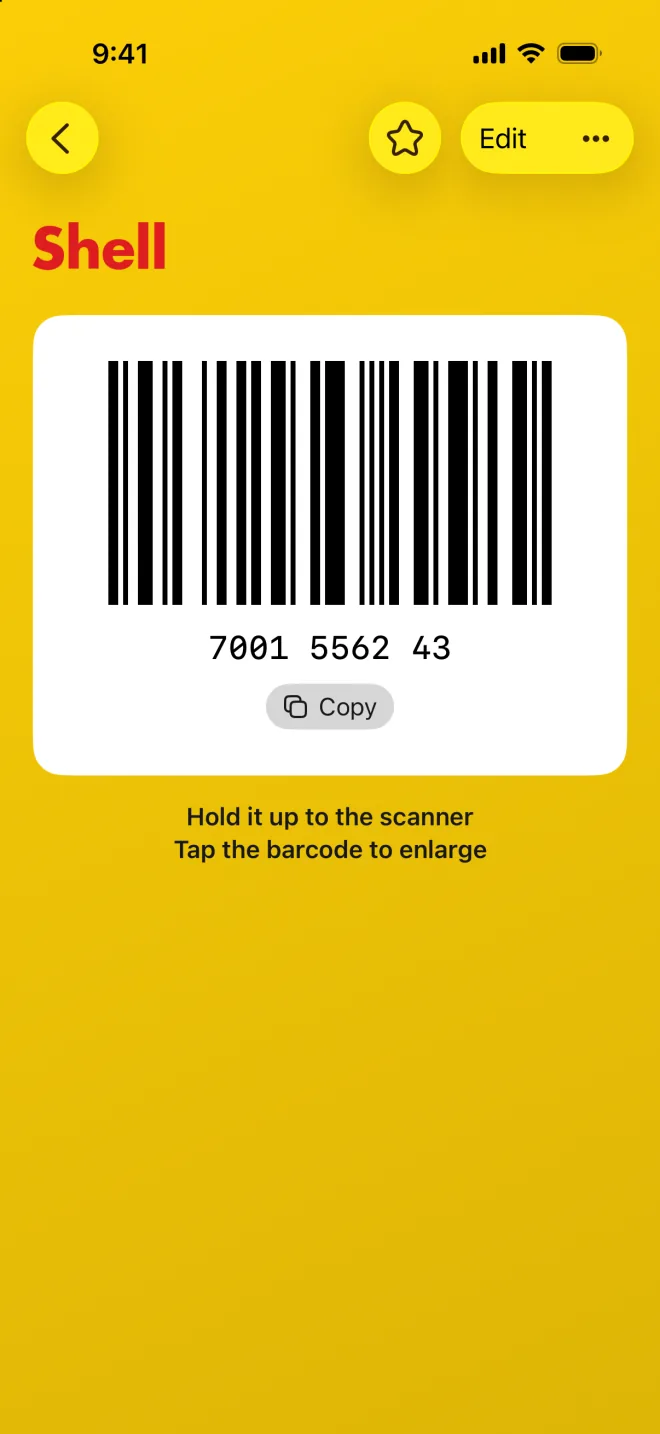
Tap the barcode for a white page at full brightness.
Long barcodes turn sideways to fill the screen. Nothing to fumble with at the register.
And also
Wherever you reach for your card
-
01
Widgets
A card’s barcode on your Home Screen or Lock Screen, or a grid of your cards.
-
02
Control Center
One tap opens the card you choose, your last card, or Cardds.
-
03
Siri and Spotlight
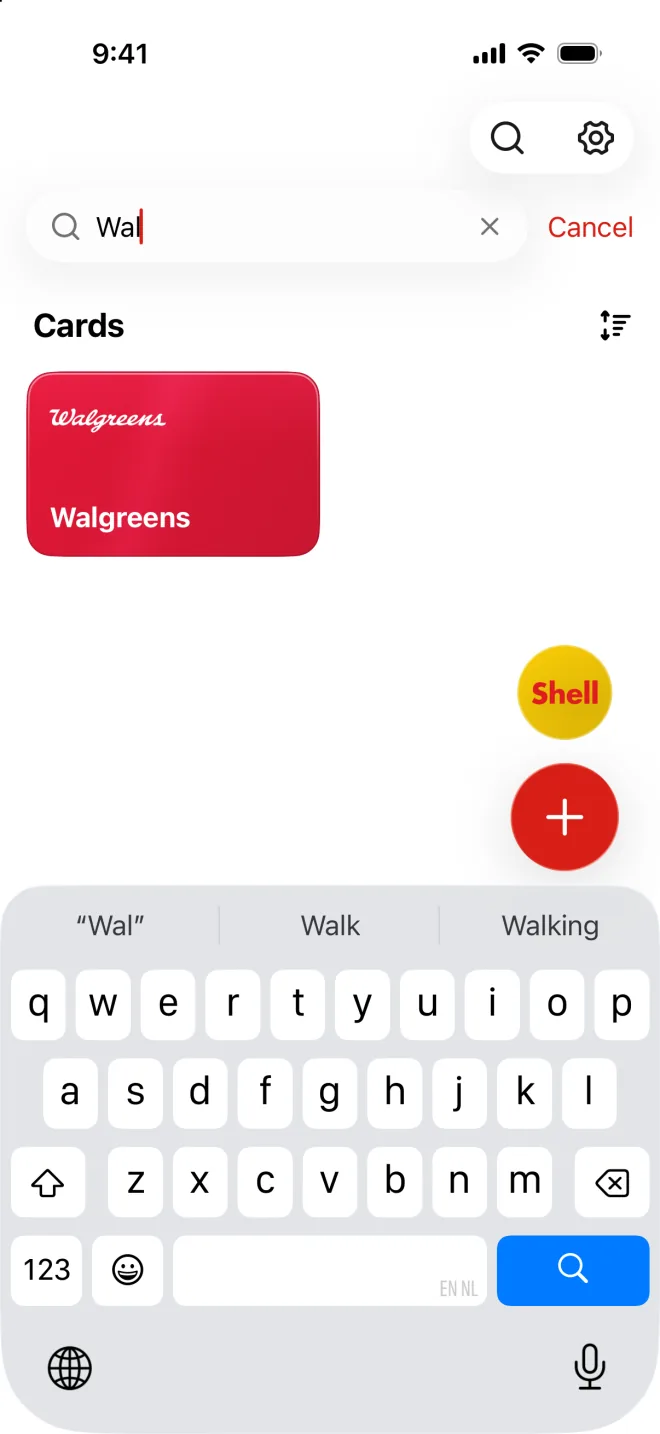
“Show my card in Cardds”, or search for a card by its name.
-
04
Import from Photos
Turn screenshots of your cards into cards, a whole pile at once.
-
05
Five languages
English, Dutch, German, French and Spanish, following your iPhone.
-
06
Works offline
Your cards are on your iPhone, so they open with no signal at all.
Questions
Is Cardds free?
Yes. Add as many cards as you like.
Do I need an account?
No. There’s nothing to sign up for and nothing to sign in to. Open Cardds and add a card.
Where are my cards kept?
On your iPhone. If you use iCloud, they’re also kept in your own iCloud, so they’re on your other iPhones too and come back on a new one. We never see them.
Will the shop’s scanner read my phone?
Cardds shows the barcode at full brightness on a white page, which is what scanners read best. For a long barcode, turn it sideways to make it bigger.
Which cards work?
Cards with a barcode or a QR code: EAN, UPC, Code 128, Code 39, ITF, Codabar, QR, Aztec and PDF417. If you can’t scan it, type the number in.
My store isn’t listed. Can I still add its card?
Yes: choose Add Card Manually and give it a name and a color. You can also email us from the store list so we can add it.